Teaching AI to use your design system
AI agents are already writing your UI code. Here is how we taught them to use Sous Chef, the 7shifts design system, instead of improvising around it.
AI agents are already writing your UI code. The question is whether they are using your design system or improvising around it.
-Tech Tank, Toronto-
Recently I gave a talk at Tech Tank, a volunteer-run tech community in Toronto, about how we taught AI to use Sous Chef, the 7shifts design system. It was my first time in Toronto (the city is awesome, the traffic not so much 😅), and the room was full of developers, designers, product folks and founders. This post is the written version of that talk. If you prefer to watch it, here is the recording.
No README for the fire
Being a father of four has taught me one thing above all: you need to be good at telling stories. So let me start with one.
In Greek mythology, Prometheus was a Titan who believed in humanity. He saw a potential in us that even the gods didn't see. So he climbed Mount Olympus, stole fire from the gods and gave it to us. It was the most powerful gift ever given: warmth, light, the ability to cook, to forge metal, to build civilization.

But here is the part the myth glosses over. He just... dropped it off. No README. No documentation. No "here's how to not burn your village down".
That is exactly what happened to us when AI coding tools arrived.
We had spent years building Sous Chef. Every component, every color token, every spacing rule, every dark mode consideration. Carefully crafted, well documented, built with love.
Then AI showed up, and just like early humans with fire, we immediately started using it. Everywhere. It was generating UIs that technically worked, but it was reinventing components we already had, hardcoding values instead of using our tokens, and building screens that looked fine in light mode and completely broke in dark mode.
We had the fire. We just weren't using it properly, and it was slowly burning down what we had already built.
What is a design system, anyway?
If you Google it you will find a ton of resources, but it comes down to three simple concepts:
- Tokens: colors, spacing, typography, shadows. Named values you reference instead of hardcoding magic numbers.
- Components: buttons, inputs, cards, modals. Reusable building blocks with defined props and behavior.
- Patterns: the composition rules and guidelines. How to combine components to build meaningful interfaces. This is the judgment layer: when to use something, when not to, and what to use instead.
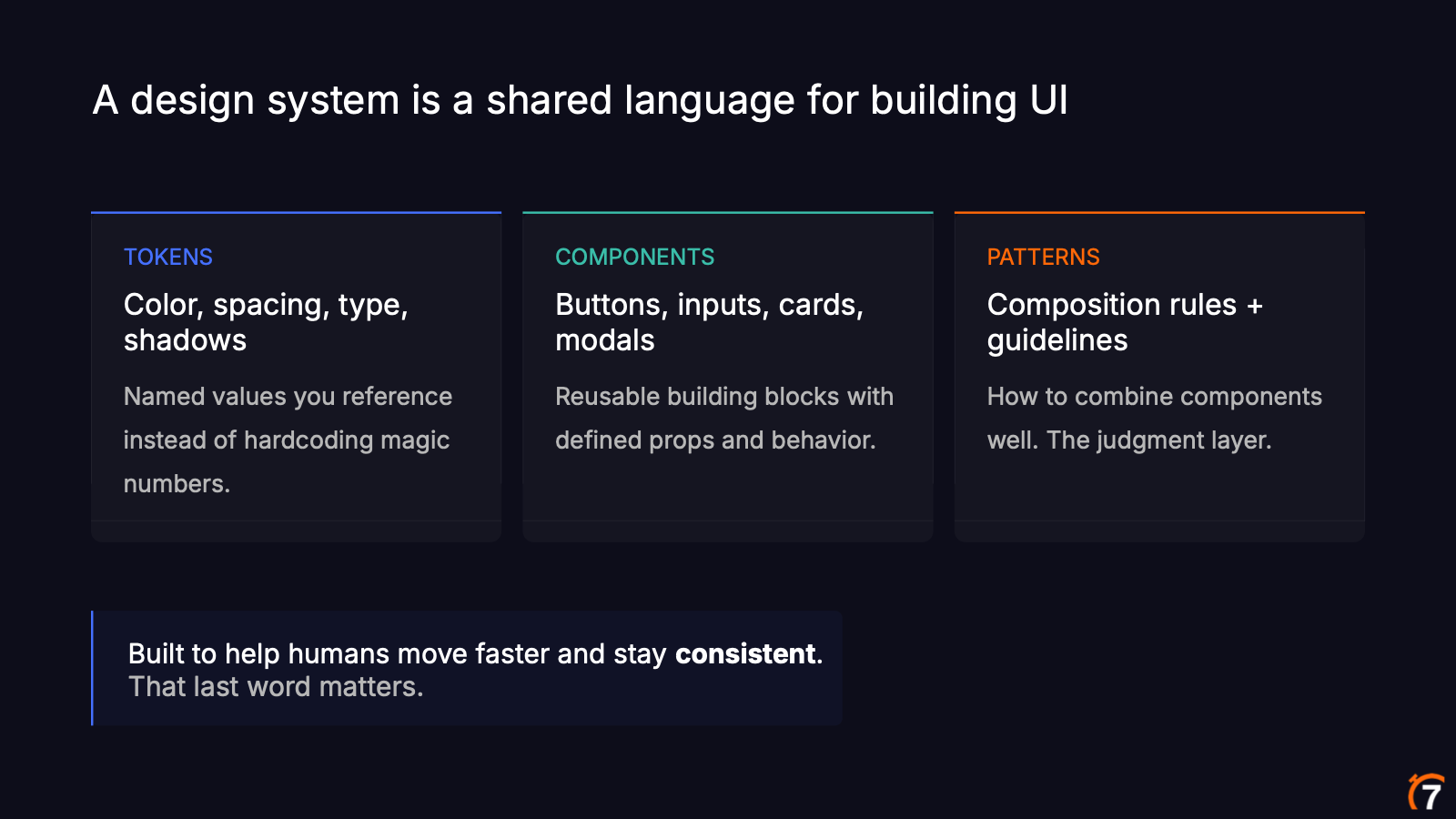
All three exist to help humans move fast and stay consistent. That last word matters. With AI everyone can move fast now. Staying consistent is the hard part.
If you want to see a real one, Sous Chef is public. Every element you see in the 7shifts web app (banners, buttons, the side navigation, avatars, chips, badges) comes from it, and each component page has its own usage guidelines.
The question changed
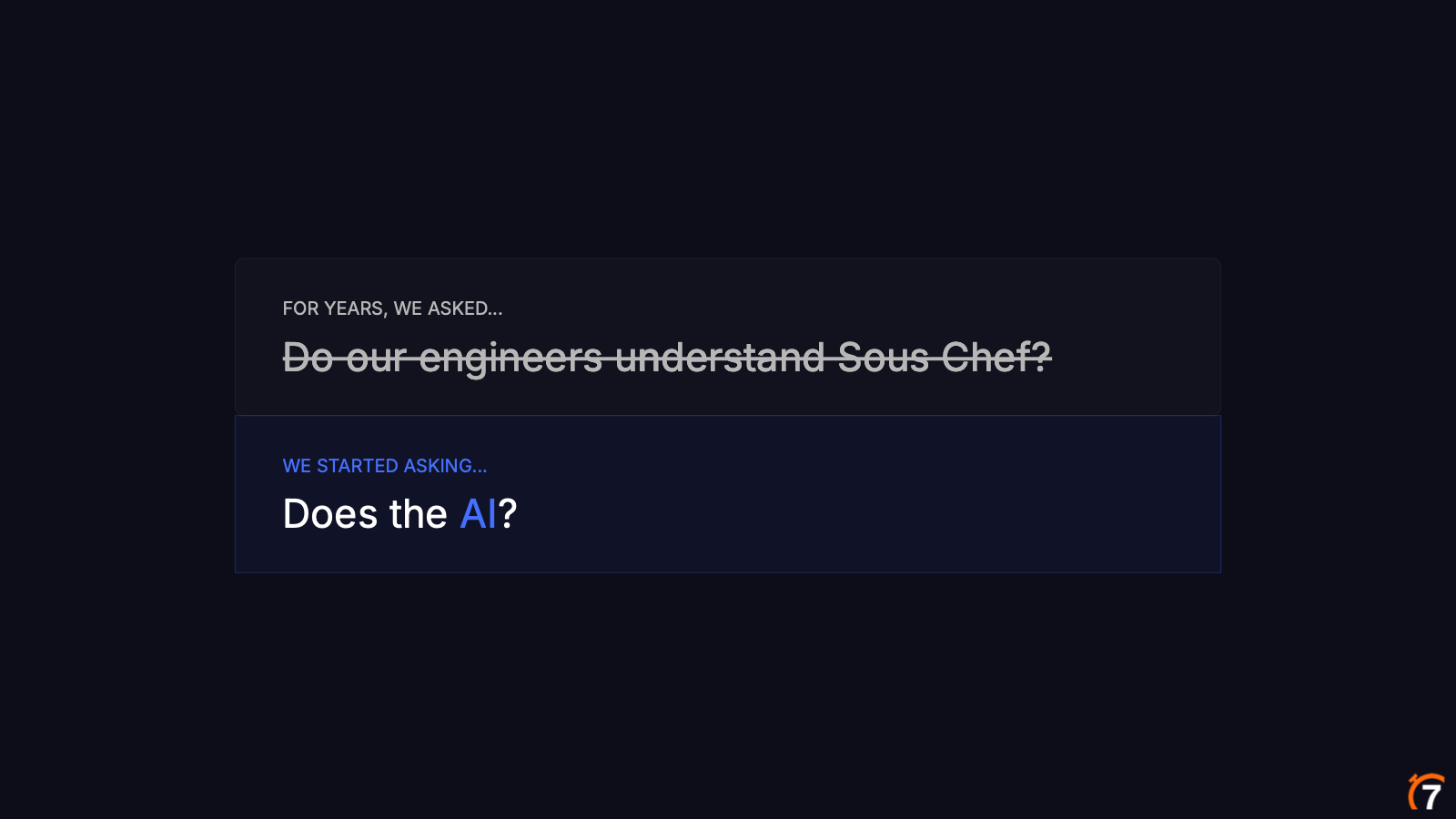
For years, we asked ourselves: do our engineers and designers understand Sous Chef?
With AI, that's no longer the right question. The question now is: does the AI understand Sous Chef?
Copilot, Cursor and Claude are already in our codebases, building production UI today. And here is the thing: they don't ask for the style guide before generating a component. If you ask them to build something, they will build it. When they can't find a rule, they improvise. That's how you end up with wrong spacing, invented tokens and that generic look that makes you think "hmm, this was generated by AI, hey?".
The real failure isn't broken code
Let's take a look at an example. Imagine someone prompts "build me a task list page" with no design system context at all. You get something like this:
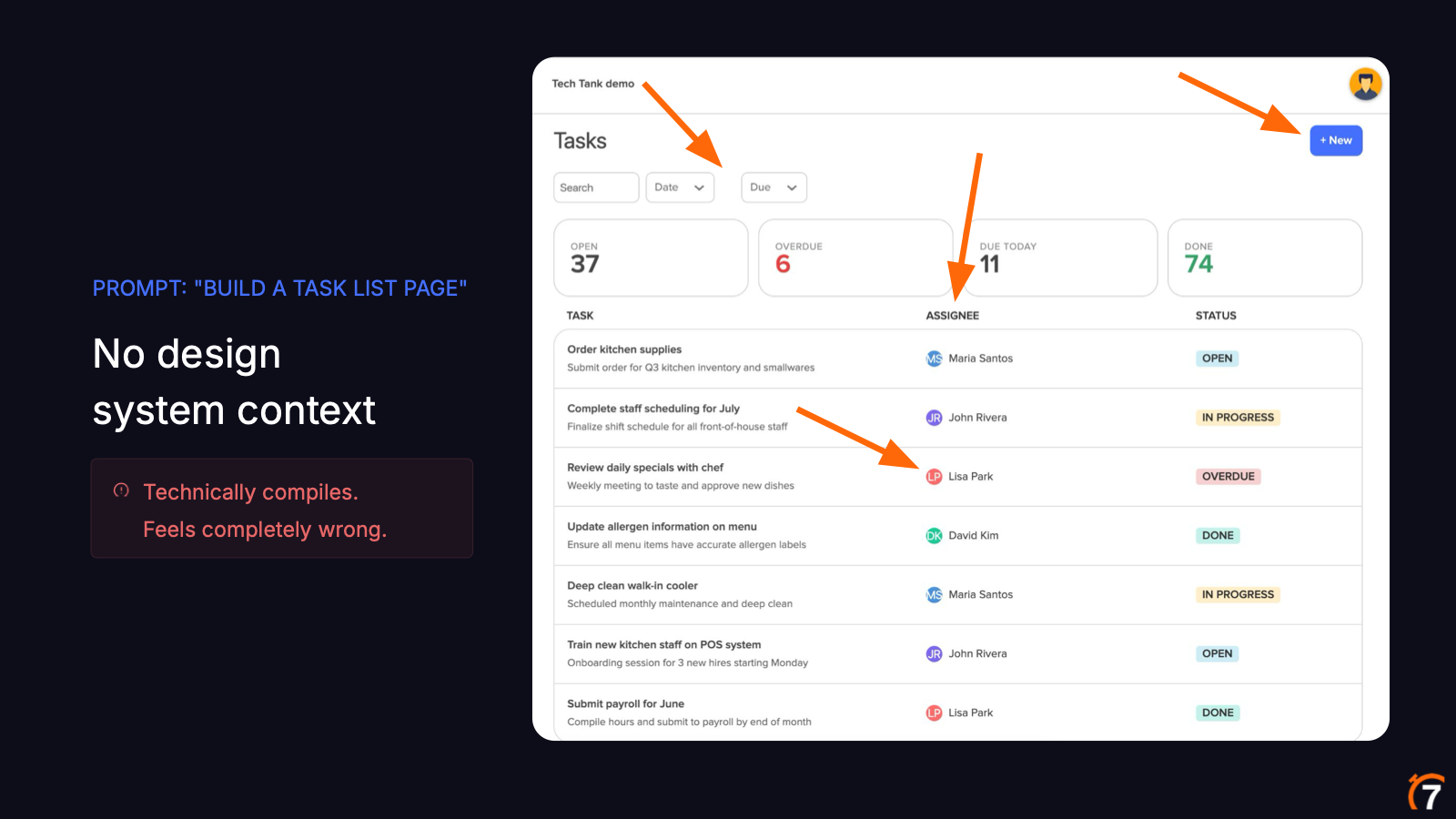
At first sight it looks good. For a one-prompt generation it is not bad at all, right? I asked the audience to spot what's wrong and, after a few jokes about the room not having any designers, they found plenty:
- The gap between the "date" and "due" dropdowns is off.
- The search input is way too tight.
- The initials don't quite fit inside the avatar circle.
- The column headers are all caps, a convention we don't use.
- The "+" on the button is not an icon, it's just a plus character.
It compiles. It runs. It even picks the right kinds of components: a table, dropdowns, a search input, avatars, a button. But if you put it next to the 7shifts app, the feel is completely wrong. Every one of those choices is plausible, just not our choice.
That is the real failure mode, and it is much harder to catch in a code review than a bug.
Which brings me to the main idea of the whole talk:
A design system can't just expose components. It has to expose judgment.
Tokens give AI the values. Judgment tells it which one to use, and when. A dense data table needs different spacing than an empty state. A danger button should be the last one in a button group, never the first. A senior designer carries all of that in their head, and most of it never made it into the docs. Our job was to put it there, in a way AI could actually read.
Visual debt
Developers know technical debt, the annoying one, right? Visual debt is even more annoying, because it is invisible.
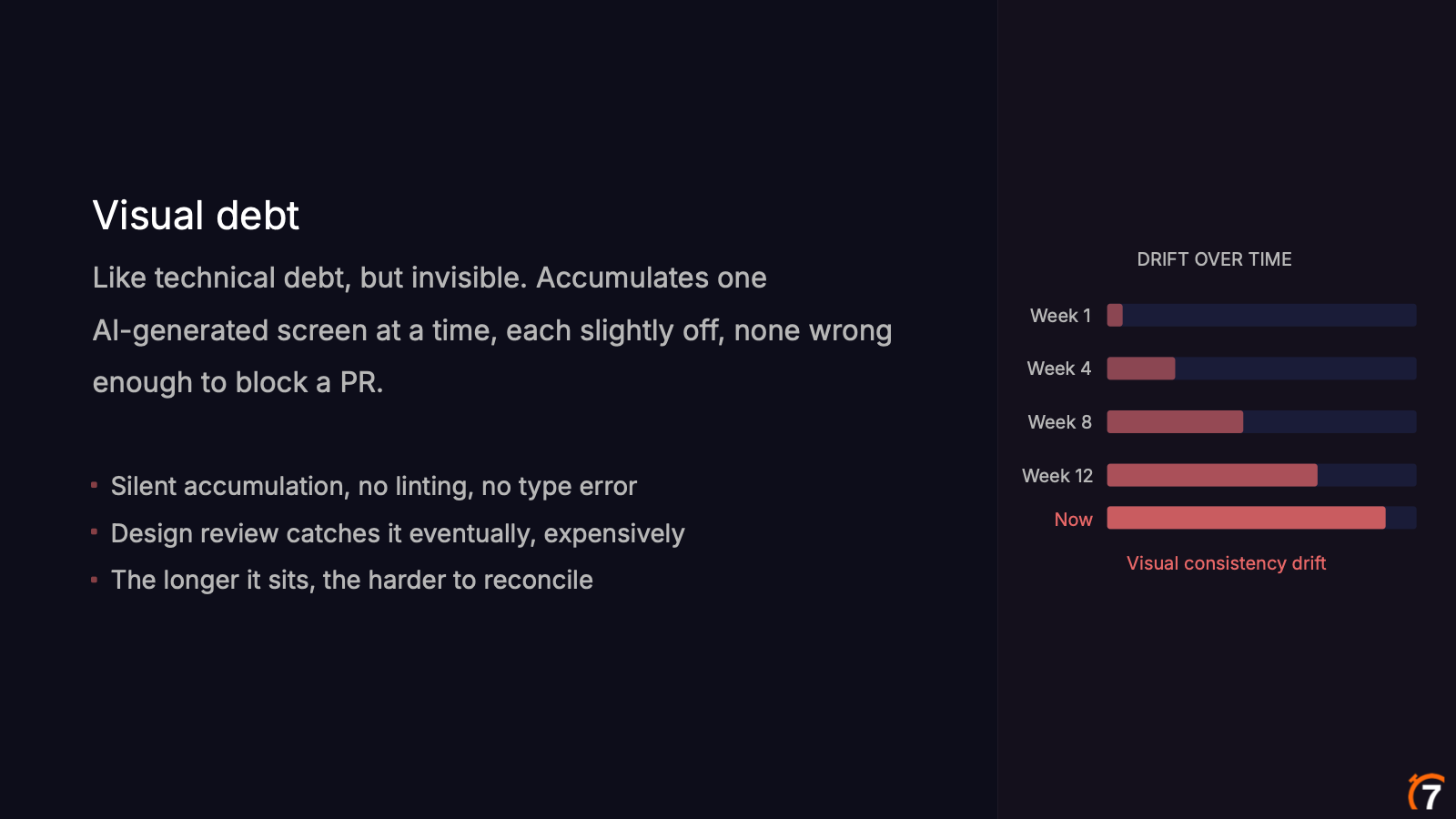
It accumulates one AI-generated screen at a time. In week one something is slightly off, but not wrong enough to block the PR, so it gets merged. Week four, week eight, week twelve, and suddenly your product has drifted away from its own design system.
There is no linting for it, no type error. Everything compiles, the CI pipeline is all green. Design review usually catches it, but that's expensive: someone has to look at every screen and manually find what's wrong. And the longer it sits, the harder it is to reconcile.
That's the problem we set out to solve. The goal is for every AI-generated screen to follow the system, not just the ones written by our most experienced engineers, and for the design system to catch "the spacing is off" before the PR is even open, instead of a designer catching it in review.
Our solution
All the Sous Chef documentation lives in Storybook. Storybook recently released its own MCP server that you can plug into Claude, and it is great at knowing props and stories. However, in our tests it didn't give the AI that judgment layer we just talked about: when to use a component, when not to, and how to compose it with others.
So here is what we ended up doing:
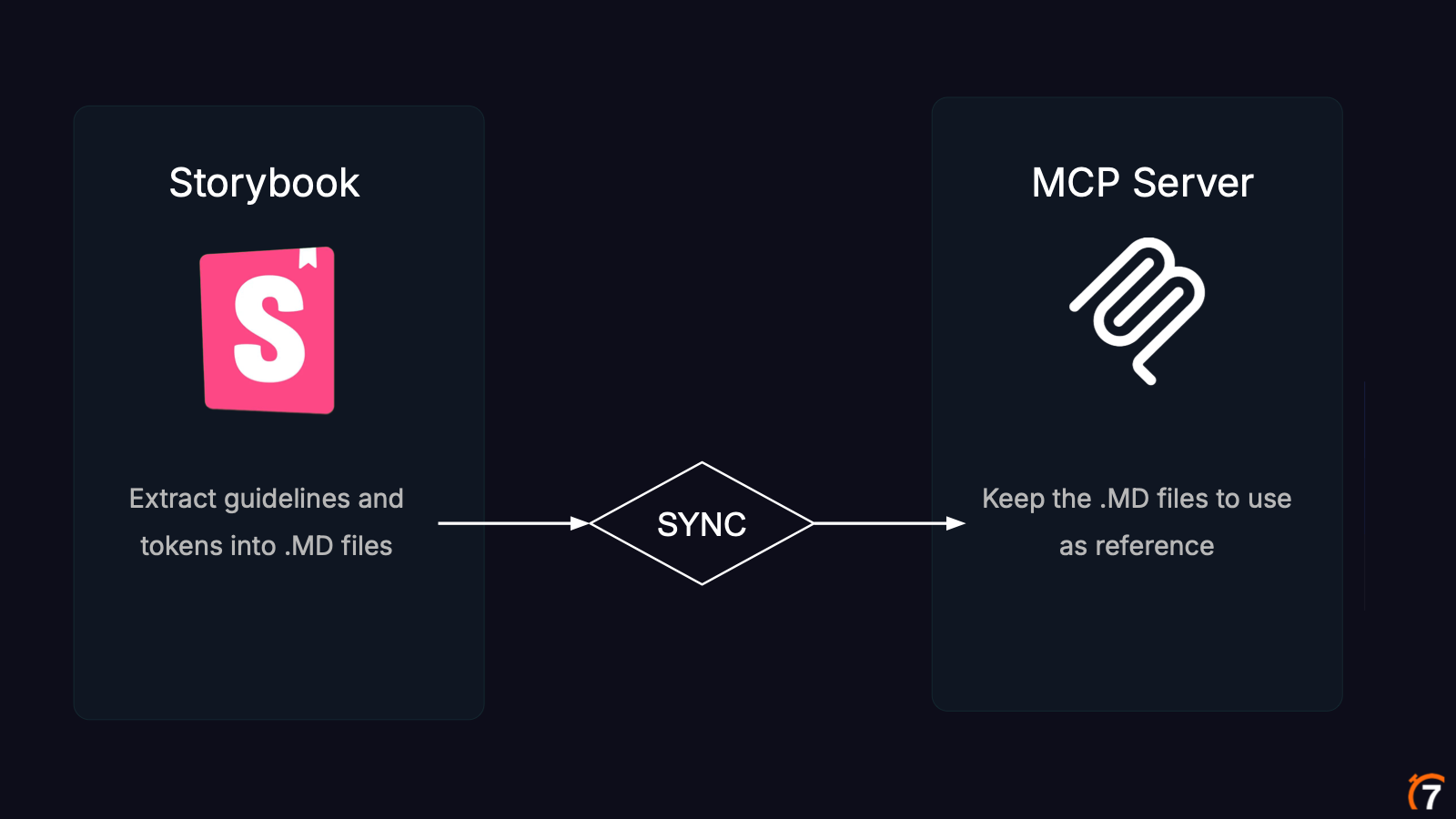
- We extracted all the guidelines and tokens from Storybook into markdown files.
- We built our own MCP server, in its own repo, that serves those markdown files as reference.
- A CI pipeline keeps them in sync. This is not a one-time export: whenever we touch anything in the design system, the pipeline syncs the docs with the MCP server repo, so the server always has the most up-to-date version.
That last step is my favorite part. When David and I (pretty much the design system team) create a new component or update a guideline, every developer gets it right away. Nobody needs to update a package, copy markdown files around or change any configuration.
The tools
If you are not familiar with it, you can think of an MCP server as a set of endpoints the AI can call to get something back. Ours exposes these tools:
| Tool | What it returns |
|---|---|
get_components_reference |
A list of all the available components |
get_design_tokens_reference |
All the design tokens |
get_icons_and_illustrations_reference |
A list of icons and illustrations |
get_composition_patterns_reference |
Instructions on how to compose components together |
get_component_details |
Full details about a specific component |
get_component_story_details |
Full code and details for a single component story |
A nice detail about get_component_details and get_component_story_details: behind the scenes we also forward the call to the Storybook MCP, because it already knows all the props, stories and use cases. No need to reinvent the wheel. The AI gets both: the technical details from Storybook and our guidelines from the markdown files.
What the agent sees
We could just tell the AI "go to souschef.7shifts.com and use the design system". The problem is that a documentation website is too much information, too much context and too much noise. What the agent gets from the MCP server is a structured response, pretty much a markdown file, which is something AI models are great at parsing.
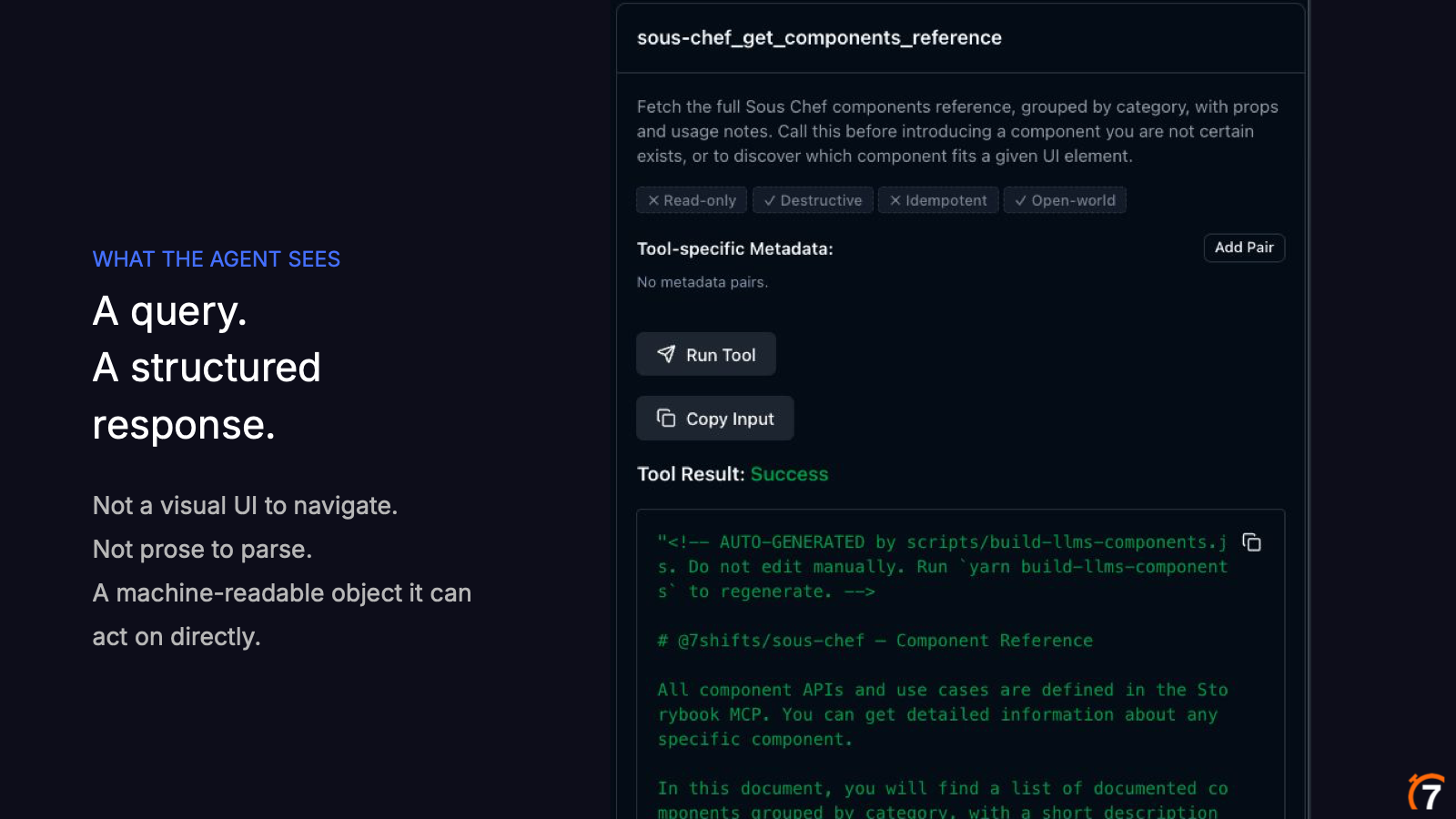
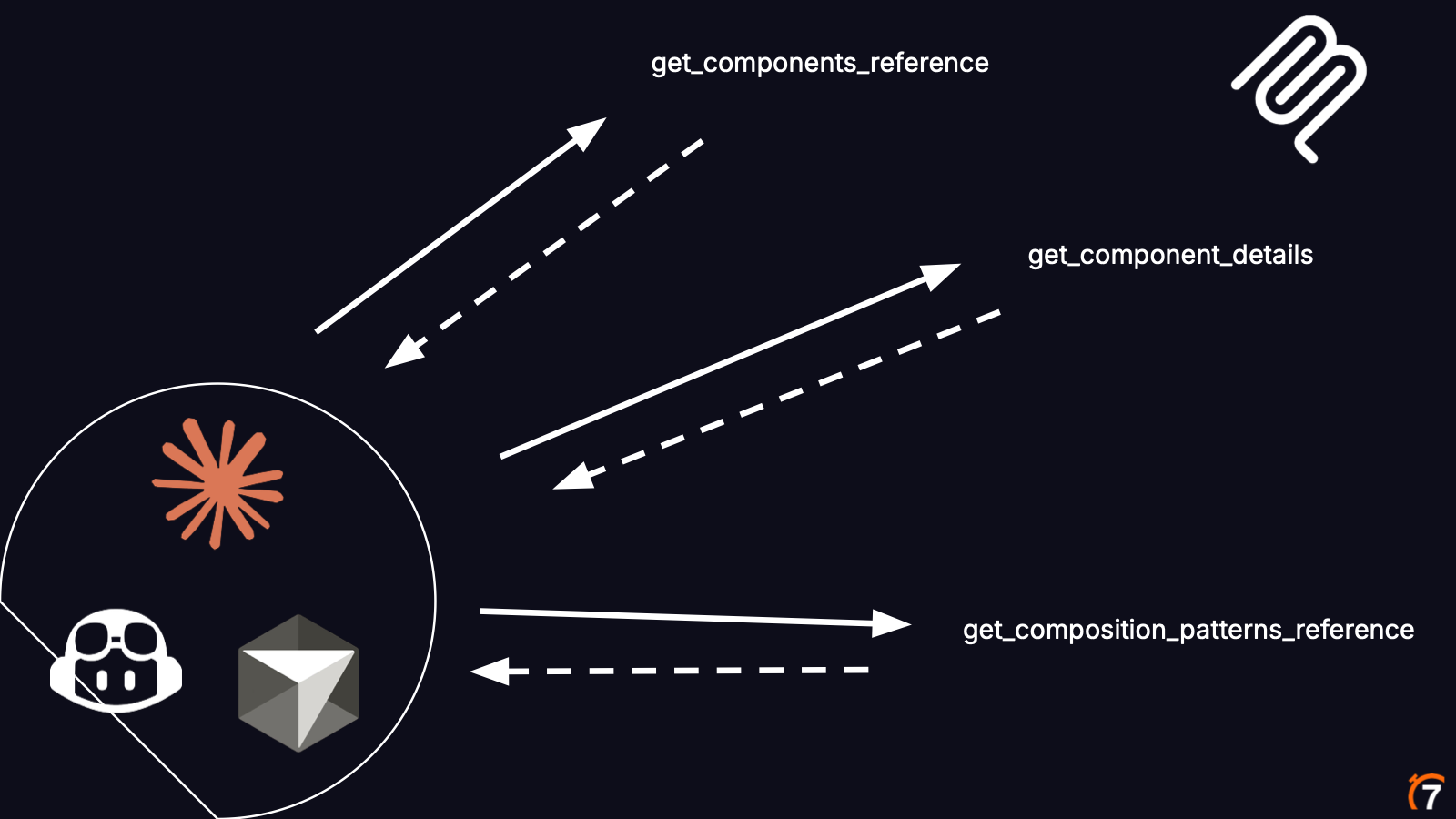
Let's say you are a developer at 7shifts and you ask Claude "Create a list of locations page, please" (never forget the please, we never know when AI is going to take over the world 😉). This is what happens:
- The model calls
get_components_referenceto learn which components are available. - It figures out it's a list page, so it needs the data table, and calls
get_component_detailsto learn how to use it. - Now it needs to compose that table with other components, so it calls
get_composition_patterns_reference. - After this back and forth, once it has everything it needs, it builds the page.
And this is the page it came up with:
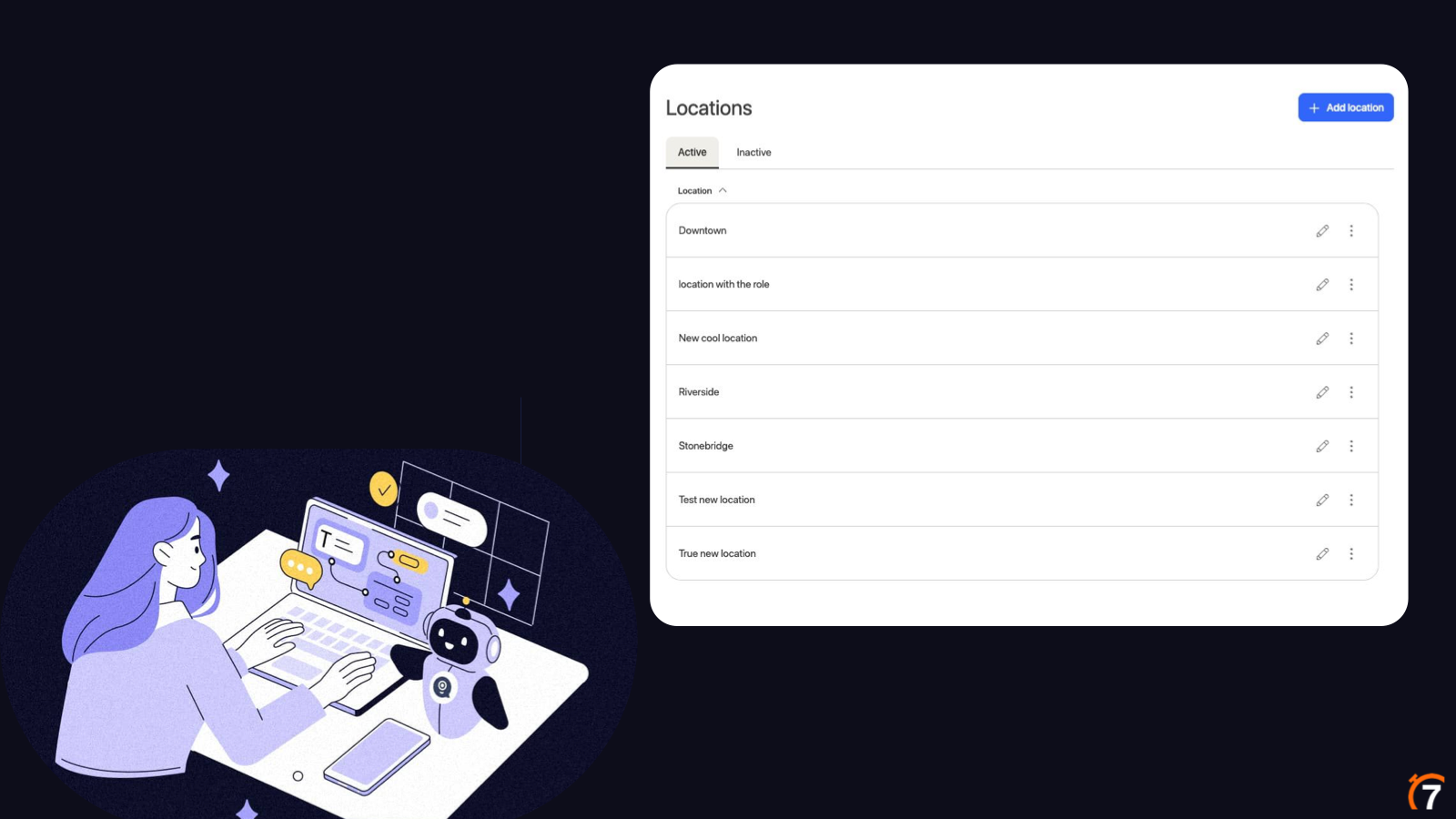
Active and Inactive tabs, a data table with edit and kebab menu icons on every row, and an "Add location" primary button with a proper plus icon.
The trade-off
There is one catch: an MCP server is request-based. The agent only gets what it asks for. If it doesn't know it should ask about composition or density rules, that information never gets into its context.
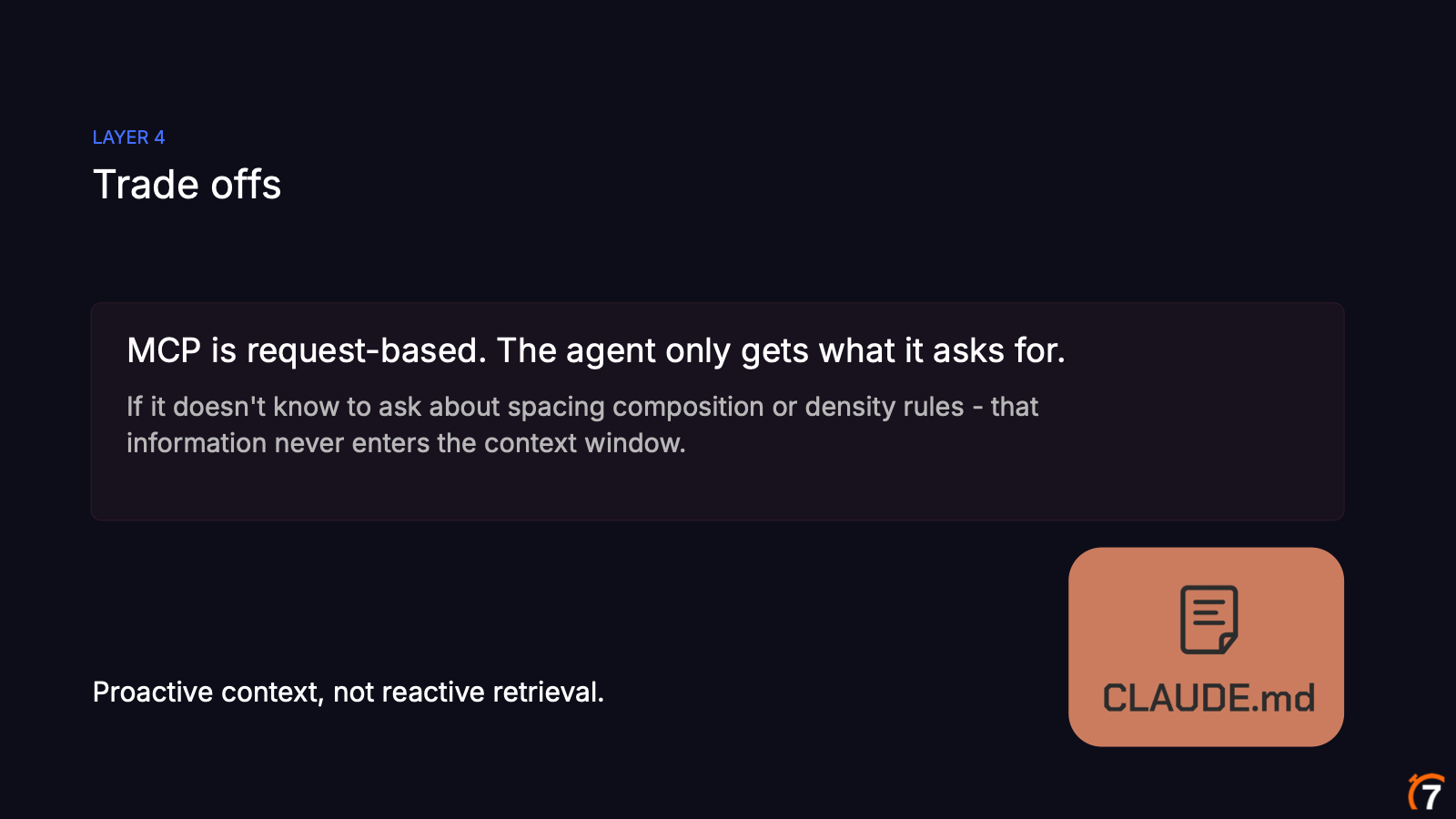
So we need to be a little bit proactive. For our use case, what works best is a small instruction in the project's CLAUDE.md telling Claude to use the MCP server whenever it needs anything from Sous Chef. Something like:
## Sous Chef

This project uses Sous Chef, the 7shifts design system. Before building or changing
any UI, use the Sous Chef MCP tools to look up components, tokens, icons and
composition patterns. Don't guess props from node_modules.
We also bake the important stuff into the responses themselves. Composition rules and do/don't examples come inline with the component details, so the agent sees them whether it asked or not. Proactive context, not just reactive retrieval.
The demo
Of course I had to do a live demo, and you all know how live demos go. For it I set up a small project that replicates the 7shifts web app, with a home page and an empty tasks page, and gave Claude the same prompt twice, along with a screenshot of a simple wireframe:
Build a prototype for this wireframe using Sous Chef components.
Without the MCP server
With no MCP server and no instructions, Claude did what AI does when it can't find a rule: it went exploring. It ended up in node_modules, digging through the compiled Sous Chef package and its TypeScript types to figure out which components exist and which props they take. It took a while, and you could see it guess props, get them wrong and correct itself along the way.
When I was preparing the talk, I built the same locations page from earlier without the MCP server and saw the exact same behavior. Claude ran cat on node_modules/@7shifts/sous-chef, guessed a primaryAction prop on the Page component, and then had to fix it because the prop is actually called actions:
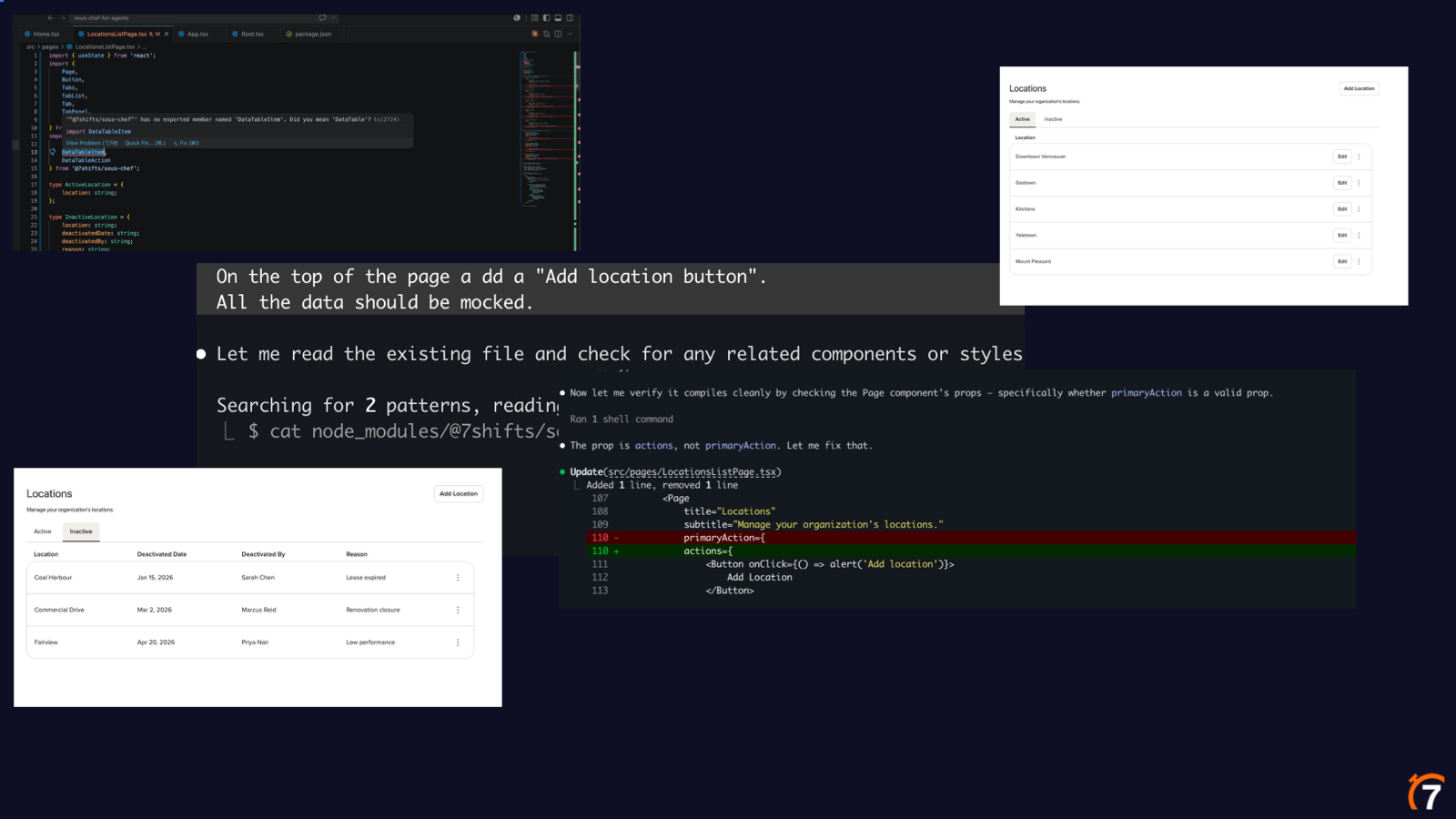
To be fair, the result wasn't bad. It used Sous Chef components and didn't invent any CSS. It knew it needed a page, a table and a select field. But it didn't use the components properly. The spacing was off, and that "+" on the button was a plain character again, even though we have a proper plus icon for it.
With the MCP server
Before running the prompt again, I asked a quick question to show the judgment part in action. Sous Chef has a pill and a chip component. They look very similar, but they are meant for totally different things. So I asked Claude: "When should I use a pill versus a chip?"
Claude called get_component_details, got the guidelines back, and answered right away: the pill is for data status, the chip is for product feature status. Without the MCP server, there's no way it could find that in node_modules.
Then I started a fresh session, so nothing from that answer carried over, and ran the same prompt again (you can jump to this part of the video). This time, no digging into node_modules. It called get_composition_patterns_reference first, then get_component_details for each component it needed. When it fetched the pill, the response included a "when not to use" section: don't use a pill for product-level status, use a chip instead. So now it knew it should also look at the chip. That's exactly the proactive context we talked about. It also felt noticeably faster, since it got the context up front instead of figuring it out by trial and error.
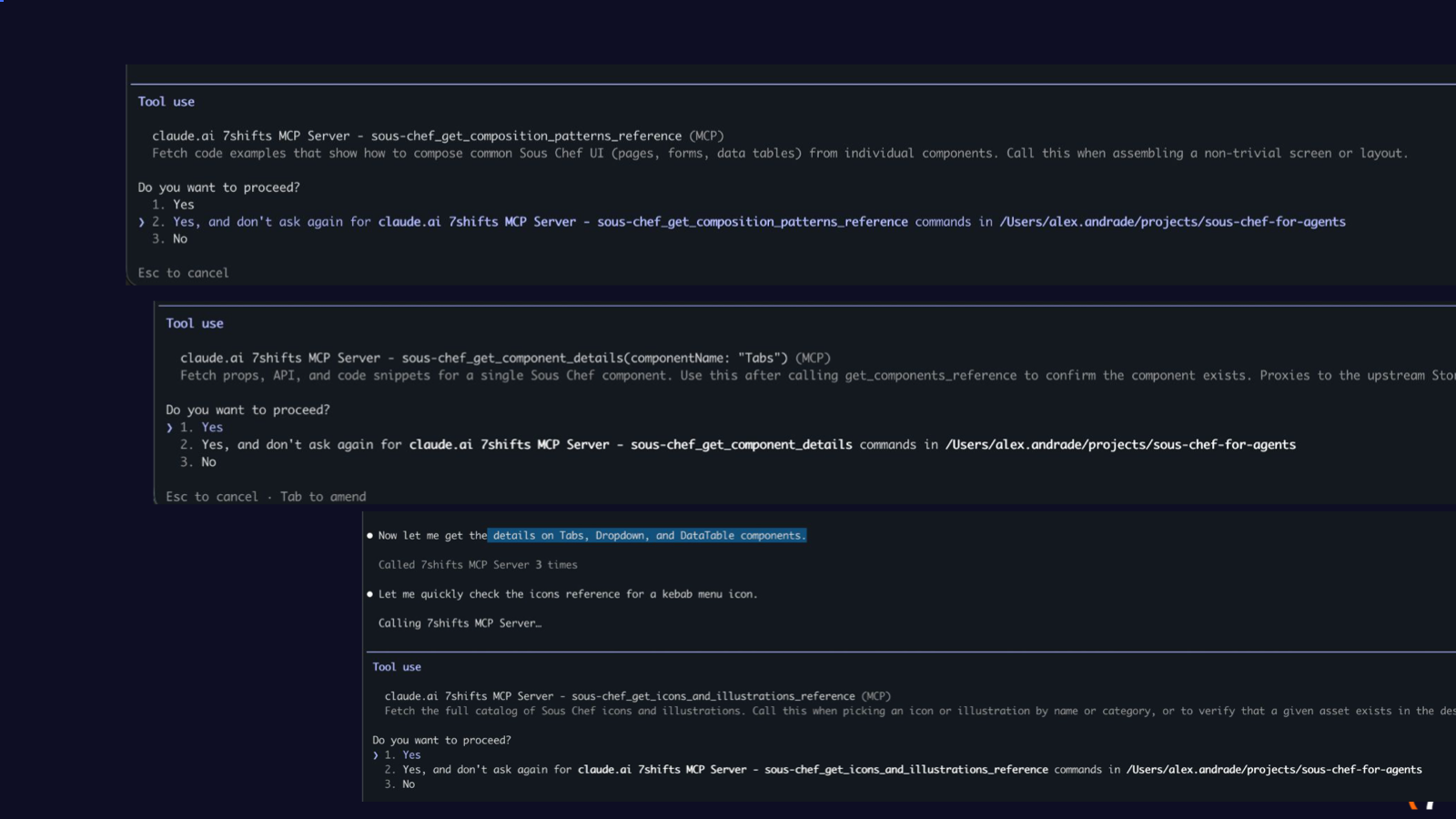
Here is what that looks like in Claude Code. Instead of cat-ing files, it calls the Sous Chef tools: composition patterns first, then the details for Tabs, Dropdown and DataTable, and even the icons reference to find a kebab menu icon.
The result? Much better, hey? The spacing at the top is well defined, the search bar has the right size, the stats bar is consistent, the avatar is larger, and the "+" is finally a proper icon. Before, it was using Sous Chef. Now it is using Sous Chef the way we intended developers to use it 👌.
Let's wrap it up
So what does all this mean?
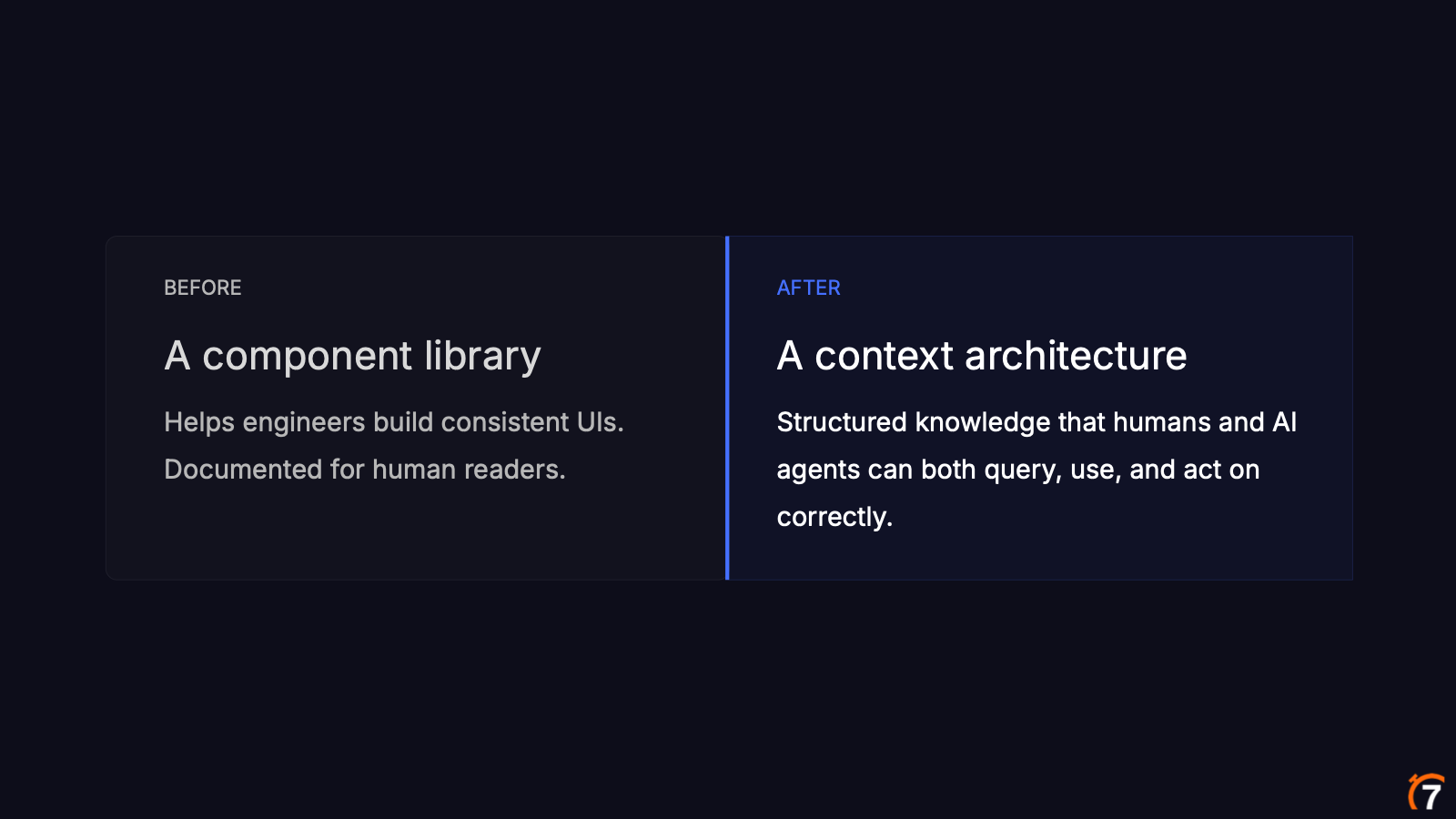
Before, we had a component library: it helped engineers build consistent UIs and it was documented for human readers. Now, we have a context architecture: structured knowledge that both humans and AI agents can query, use and act on correctly.
We are not just writing docs for engineers anymore. Every usage rule, every do and don't, every composition pattern is context an AI agent can use. Structure and specificity matter more than they used to, and examples are not optional.
Prometheus's mistake wasn't giving us fire. It was assuming the gift was enough. We made the same assumption with AI: we pointed it at our codebase and our Storybook and expected it to figure out Sous Chef on its own. It didn't. So we stopped waiting for AI to discover our design system and started teaching it.
Now that we know how to handle the fire, it's time to build great stuff, faster 🔥.
A big thanks to David, who did a lot of the work on the documentation and the do's and don'ts, to everyone at 7shifts who helped define and build the MCP server, and to the Tech Tank volunteers for having us.
References
About the Author